Screenshots and Recordings: Difference between revisions
Jump to navigation
Jump to search
No edit summary |
m Reorganized headings |
||
| Line 1: | Line 1: | ||
In Ubuntu | == Various QtRadio Recordings == | ||
Glenn's Windows QtRadio on an XP Virtual Machine: http://www.youtube.com/watch?v=0A5MaSYL6mk | |||
Sid's Beagleboard XM and QtRadio on napan.ca - 8000 1 aLaw: http://www.youtube.com/watch?v=LB8Vxb07Ph8 | |||
Alex testing TX on the rxtx-event branch: http://www.youtube.com/watch?v=oc9TuJucD48&feature=related | |||
Alex listening in on 15M in VE9 from Singapore: http://www.youtube.com/watch?v=X-pSa5cHq6A&feature=related | |||
== Varios QtRadio Screenshots == | |||
<gallery> | |||
File:Qtradio-cqww-2011-sa5bke.png|QtRadio from CQWW October 2011 running in Ubuntu 10.04 | |||
</gallery> | |||
== How to make videos in Ubuntu == | |||
In Ubuntu videos are easily recorded with recordmydesktop. | |||
<pre> | <pre> | ||
| Line 19: | Line 36: | ||
mencoder foo.ogv -o foo.avi -oac mp3lame -lameopts fast:preset=standard -ovc lavc -lavcopts vcodec=mpeg4:vbitrate=4000 | mencoder foo.ogv -o foo.avi -oac mp3lame -lameopts fast:preset=standard -ovc lavc -lavcopts vcodec=mpeg4:vbitrate=4000 | ||
</pre> | </pre> | ||
Revision as of 12:28, 12 November 2011
Various QtRadio Recordings
Glenn's Windows QtRadio on an XP Virtual Machine: http://www.youtube.com/watch?v=0A5MaSYL6mk
Sid's Beagleboard XM and QtRadio on napan.ca - 8000 1 aLaw: http://www.youtube.com/watch?v=LB8Vxb07Ph8
Alex testing TX on the rxtx-event branch: http://www.youtube.com/watch?v=oc9TuJucD48&feature=related
Alex listening in on 15M in VE9 from Singapore: http://www.youtube.com/watch?v=X-pSa5cHq6A&feature=related
Varios QtRadio Screenshots
-
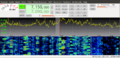 QtRadio from CQWW October 2011 running in Ubuntu 10.04

How to make videos in Ubuntu
In Ubuntu videos are easily recorded with recordmydesktop.
sudo apt-get install recordmydesktop
Change to a terminal window and type:
~$ recordmydesktop
In pavucontrol select wanted audio source.
Before you upload the recorded ogg video file to Youtube, it has to be converted:
sudo apt-get install mencoder
mencoder foo.ogv -o foo.avi -oac mp3lame -lameopts fast:preset=standard -ovc lavc -lavcopts vcodec=mpeg4:vbitrate=4000